If you're comfortable with Three.js but React Three Fiber (R3F) still feels a little… magical, you're not alone.
When I first started reading React Three Fiber code, something immediately felt wrong. I kept asking myself: "Where is `scene.add()`?" I saw code like this:
<mesh position={[1, 2, 3]}>
  <boxGeometry />
  <meshStandardMaterial color="orange" />
</mesh>
And my Three.js brain couldn't understand it. How can a simple JSX tag create a real Three.js object? Where is the renderer? Where is the scene? Who is creating the mesh?
The answer turned out to be much simpler than I expected: React Three Fiber doesn't replace Three.js. It changes the way you think about building a scene. Once I understood that, everything started to click.
React Three Fiber is NOT a new 3D engine
One of the biggest misconceptions about React Three Fiber is that it's an alternative to Three.js. It isn't. React Three Fiber is a custom React renderer built on top of Three.js. It doesn't replace the rendering engine — it replaces the way you interact with it.
Everything you render in R3F eventually becomes a real Three.js object. <mesh /> becomes something equivalent to new THREE.Mesh(...), and <boxGeometry /> becomes new THREE.BoxGeometry(...).
The rendering engine, the cameras, the materials and the scene graph are still Three.js. Only the programming model changes.
Three.js: you control the scene
In vanilla Three.js, the scene is your source of truth:
const cube = new THREE.Mesh(geometry, material);
scene.add(cube);
cube.position.set(1, 2, 3);
scene.remove(cube);
You create objects, add them, update them and remove them — everything happens by directly mutating the scene. If someone asks "what objects currently exist?", you inspect scene.children.
React Three Fiber: you describe the scene
R3F follows a completely different philosophy. Instead of telling the engine how to build the scene, you describe what the scene should look like:
<>
  <Cube />
  <Light />
  <Floor />
</>
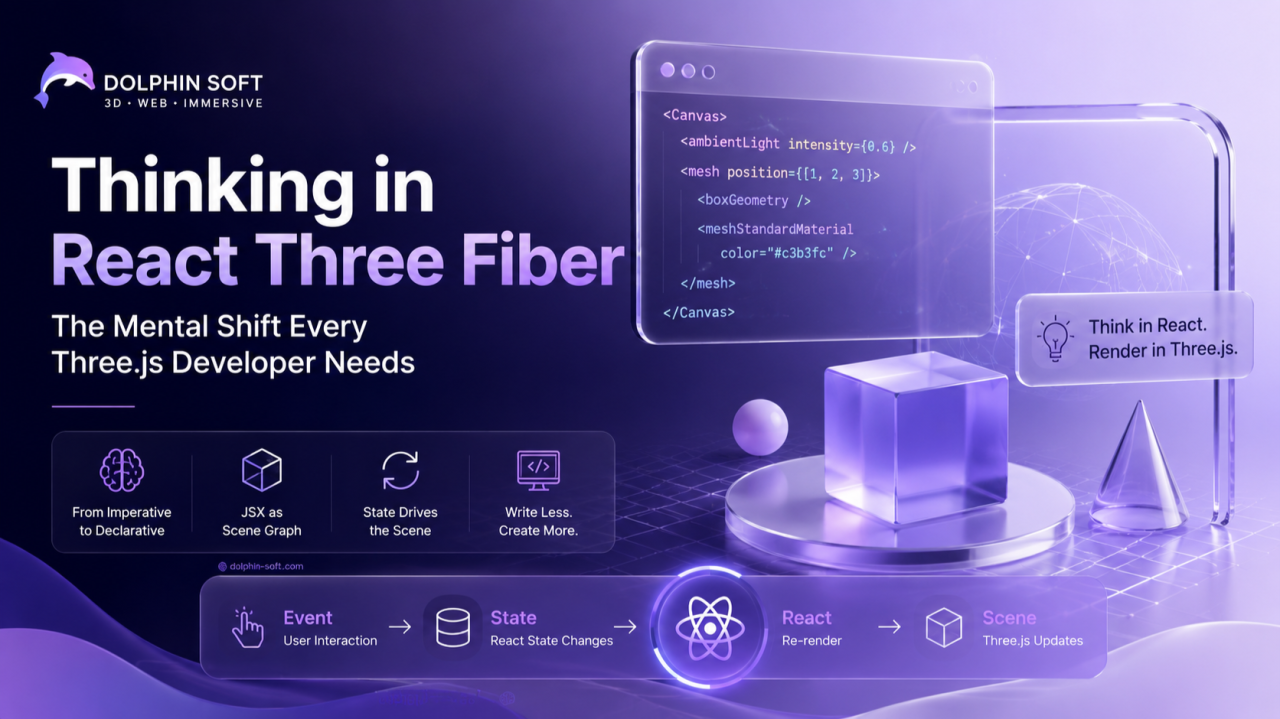
This is not HTML. This is your scene graph. Instead of saying "add this mesh", you're saying "a mesh should exist here" — and React handles the rest.
What does <Canvas> actually do?
It's easy to think <Canvas> is just an HTML <canvas> element. It isn't. Behind the scenes, React Three Fiber creates and manages:
- A
THREE.Scene - A
THREE.WebGLRenderer - A camera
- A render loop
- Resize handling
- Pointer events
- Object lifecycle
- React reconciliation
That's why you rarely need to create these objects manually anymore.
The biggest mental shift
In Three.js, you mutate the scene. In R3F, you change state. Imagine a button click.
Three.js:
button.onclick = () => {
  scene.add(cube);
};
React Three Fiber:
const [showCube, setShowCube] = useState(false);

<button onClick={() => setShowCube(true)} />
{showCube && <Cube />}
No scene.add(). No manual object creation. The state changes, React re-renders, and the scene updates automatically.
JSX is no longer just HTML
Nested JSX creates nested Three.js objects:
<group>
  <mesh>
    <pointLight />
  </mesh>
</group>
is equivalent to:
Scene
└── Group
    └── Mesh
        └── PointLight
Children are simply add() calls. Thinking about JSX as a scene graph instead of HTML makes R3F much easier to understand.
Components represent 3D objects
In React apps, components usually represent parts of the UI: <Navbar />, <Sidebar />, <Footer />. In React Three Fiber, components often represent objects in your world: <Player />, <Car />, <Tree />, <Enemy />. Each component owns its own Three.js objects, which makes complex scenes much easier to organize.
Re-render does NOT mean re-create
Many developers assume that every React render creates brand new Three.js objects. It doesn't. If only the position changes:
<mesh position={[5, 0, 0]} />React Three Fiber doesn't destroy the mesh and create another one. It simply updates mesh.position.set(5, 0, 0) — just like React updates the DOM instead of rebuilding the page.
The hooks that matter
It helps to think of R3F hooks as familiar Three.js concepts:
useGLTF()— the React version ofGLTFLoader.load()useFrame()— the React version ofrequestAnimationFrame()useThree()— access to the scene, camera, renderer and other objects created by<Canvas>useLoader()— a generic asset loaderuseRef()— a reference to the real Three.js object
The hooks aren't replacing Three.js — they're exposing it in a React-friendly way.
useFrame() is not your main loop
A common Three.js habit is putting everything inside the render loop. In R3F, useFrame() is only for things that change every frame:
useFrame(() => {
  meshRef.current.rotation.y += 0.01;
});
Animation? ✅ Yes. Physics? ✅ Yes. Creating objects? ❌ Usually no.
The scene is no longer the source of truth
This is probably the most important concept. In Three.js, state lives inside the scene. In React Three Fiber, state lives inside React, and the scene is simply the visual result. That's why many R3F projects use Zustand, Redux or React state: your data drives the scene, not the other way around.
A common mistake
Developers new to R3F often write:
useEffect(() => {
  scene.add(mesh);
}, []);
Sometimes that's perfectly valid. But if you do it often, ask yourself: "Can this be expressed as JSX instead?" In many cases, it can. R3F works best when React is responsible for the lifecycle of your objects.
A simple way to think about it
Whenever you catch yourself asking "Where should I call `scene.add()`?", ask a different question instead: "What state should change so React renders this object?"
Final Thoughts
Three.js asks: "How do I change the scene?" React Three Fiber asks: "What should the scene look like?"
It's the same rendering engine, the same WebGL, the same cameras, materials and objects. The only thing that changes is the way you express them. If you're coming from Three.js, keep everything you know about cameras, lights, materials, loaders, shaders and the scene graph — those concepts are exactly the same. React Three Fiber simply lets React orchestrate their lifecycle.
Once that mental shift happens, the JSX stops looking like magic — and starts feeling like one of the most natural ways to build interactive 3D applications on the web.